Ads 468x60px

Monday, July 30, 2012

Samsung has announced Samsung Galaxy Ace Q Android phone

Samsung Galaxy Ace Q: Samsung has announced the release of its latest product named Galaxy Ace Q. It is a QWERTY phone having standard features as per industry standards.This handset runs on Android 2.3 Gingerbread operating system. Average computing functionalities are powered by 800 MHz Qualcomm processor. Samsung Galaxy Ace Q features a screen display size of 3.2 inches with a resolution of 320 x 480 pixels. The graphical and multimedia experience is powetablet from Lenovored by Qualcomm Adreno 200 GPU. The RAM capacity is 512 MB.Audio features include microphone, loudspeaker and a 3.5 mm audio jack capable of giving better audio output.Samsung Galaxy Ace Q has a CMOS Sensor type built-in digital camera of 3.15 mega pixels. Better images can be taken with this camera having a resolution of 2048 x 1536 pixels. Other features that are present in the camera include autofocus and optical zoom. The multimedia formats supported by this device include JPG, 3GP and MPEG4. This smartphone is powered by a 1300 mAh standard lithium-ion battery. There is no information regarding talktime and standby time provided by this handset. The sensors present include accelerometer and digital compass.

Sunday, July 29, 2012

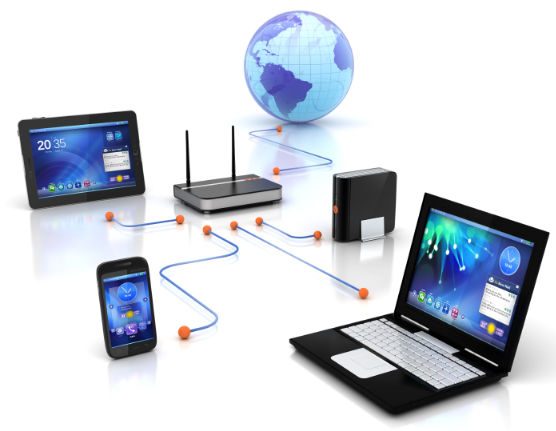
Do you Know this...How to share files over a network?


Do you know that you can share files stored on another computer right from yours?
This can be done provided that both the devices are connected to the same network. The folders that are available for sharing can be accessed from other computers connected to the network. Your access could be restricted by password or it can be a read only file. Hence, you cannot modify the files in the folder.
            

Windows Vista
1. Go to Start menu → Control Panel → Network Center (Vista)
2. Expand the Computer icon to if hard drives or folders are available for sharing.

Windows XP
1. Go to Start menu → Control Panel → Network Connections (XP)
2. The shared resources will be available under My Network Places window.
T
o access a folder, open it by double clicking. The folder will open just like how one on your hard drive does. If the folder is password protected, you will have to type in the password to access it. Remember that you cannot modify, rename or delete the files or folder if they are read only.

Casio launch 10 inch rugged Android ICS tablets

Casio launch 10 inch rugged Android ICS tablets.The company is entering the market with a couple of rugged Android tablets. The tablets dubbed Casio V-T500-GE and VT-500-E are rugged than usual.
The V-T500-GE and VT-500-E tablets have an IPR 54 rating indicating that they won’t break even if you drop them from a height of three feet. These tablets will not stop functioning even if they are splashed with water or used in dusty environments.
Casio V-T500-GE and Casio VT-500-E run on the Android 4.0 ICS operating system. The tablets sport a 10 inch scratch proof display. Both the devices are equipped with a 1.5 GHz dual core TI OMAP4460 processor and have NFC chips.